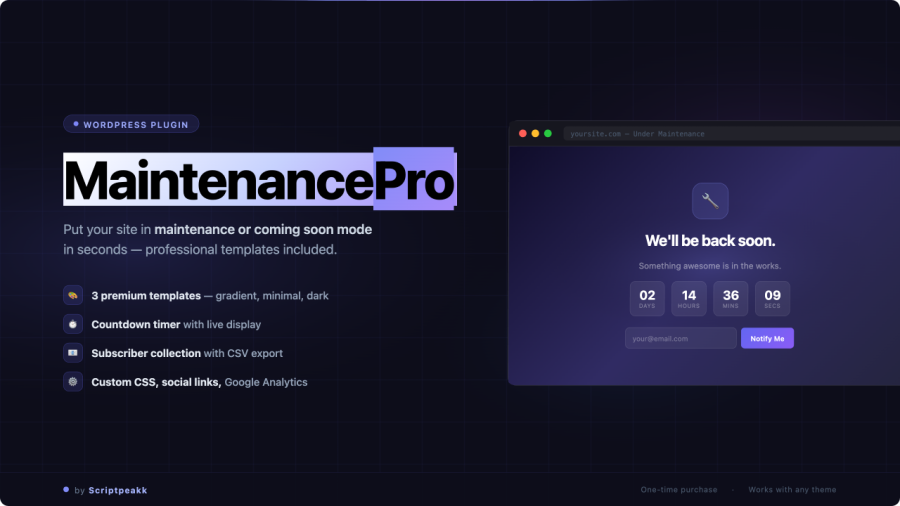
Most WordPress sites use the default maintenance screen — a plain white page with a single grey line of text. MaintenancePro replaces it with something that actually represents your work: a fully branded, mobile-ready page that looks intentional even while your site is down.
Three ready-to-use templates
MaintenancePro ships with three distinct design templates, each built around a different aesthetic. Pick the one that fits your project — or your client’s brand — without touching any code.
- Glassmorphism Gradient — Soft gradient background with frosted-glass card and floating particle animation. Works well for creative agencies, SaaS products, and launch pages.
- Dark Cyberpunk — Dark background with cyan accents and a subtle grid overlay. A strong fit for tech tools, developer tools, and anything with a darker brand palette.
- Clean Minimal — White background, Inter font, generous spacing. The one that works for client work, professional services, and any brand that values restraint over decoration.
All three are fully responsive out of the box and look sharp on mobile, tablet, and desktop without any extra configuration.
Maintenance Mode vs. Coming Soon — handled correctly
These two modes look similar on the front end but behave very differently for search engines. MaintenancePro handles both correctly.
- Maintenance Mode returns HTTP
503 Service Unavailablewith aRetry-Afterheader — the correct signal for search engines to come back later without deindexing your content. - Coming Soon returns HTTP
200 OK— appropriate for new sites that want to be indexed from day one.
Switch between the two modes with a single toggle in the plugin settings. No manual header editing required.
What you can customise
- Headline and body message
- Logo upload
- Background colour / gradient overrides
- Countdown timer with target date and time
- Subscriber opt-in form (stored in your WordPress database, exportable as CSV)
- Social media links
Built for the way maintenance actually works
Logged-in admins always see the live site — no need to disable the plugin every time you want to check your own work. You can also whitelist specific URLs so certain pages (like your login page or a contact form) remain accessible to everyone while everything else is locked.
An admin bar badge stays visible on both the front end and the dashboard while maintenance mode is active — so you don’t accidentally leave the site locked after you’re done.
Need to take the site down for a fixed window? Set an auto-expiry date and time. When the timer hits zero, maintenance mode turns itself off automatically.
Requirements
- WordPress 5.8 or higher
- PHP 7.4 or higher
- Compatible with any WordPress theme
- No page builder required