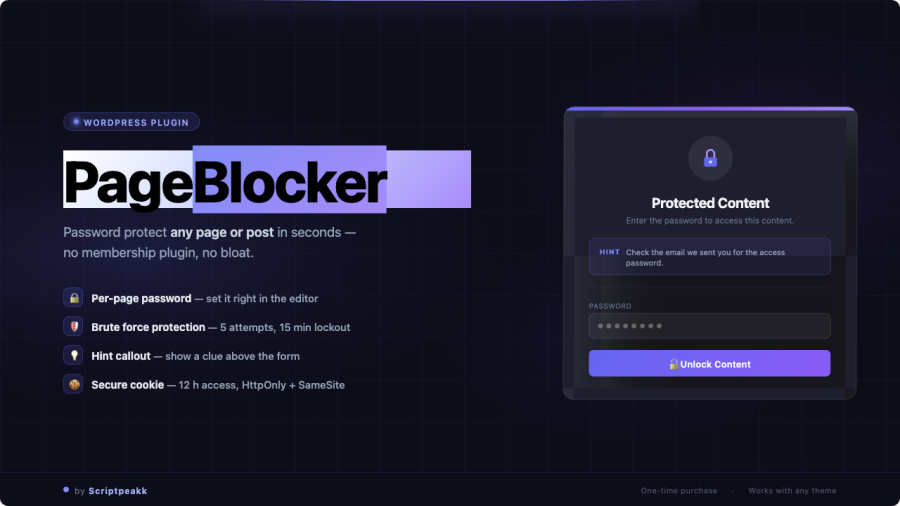
WordPress gives you two states for any page: public or login-required. PageBlocker adds a third — password-protected with a custom lock screen — so you can share content selectively without setting up user accounts or a full membership system.
Protect any page or post in under a minute
Open any page or post in the WordPress editor. In the sidebar, you’ll find the PageBlocker metabox. Enable protection, set a password, choose a lock screen style, and write a short message for visitors. Save the page — it’s live.
No shortcodes, no template editing, no separate settings panel to find. It works the same way on pages, posts, and custom post types.
Lock screen styles
- Minimal Light — Clean white lock screen with your custom message and a password field. Professional and unobtrusive, works with any brand.
- Dark Overlay — Full-screen dark background with centred card. Good for portfolio pieces, launch pages, or anything where the lock screen itself makes an impression.
- Branded — Inherits your site’s header so the lock screen looks like part of your site rather than an interruption.
How access works after unlocking
When a visitor enters the correct password, PageBlocker sets a session cookie. They won’t be prompted again on their next visit — for as long as the cookie is valid, the page loads normally. You control how long that session lasts.
You can also set an expiry on the protection itself. If you’re sharing a client preview that should be accessible for two weeks and then go back to being private, set the date once and let the plugin handle it.
Additional access controls
- Admin bypass — Logged-in WordPress admins always see the full page, so you can work on a protected page without constantly entering the password.
- Role bypass — Grant specific user roles automatic access without a password.
- Redirect mode — Instead of showing a lock screen, send unauthorised visitors to a different page entirely. Useful when you want to keep the existence of the content private, not just the content itself.
- Bot blocking — Optionally block search engine crawlers from indexing protected content.
Where this fits into real projects
The most common use cases are client work (share a live preview without staging credentials), lead magnets (gate a resource or template behind a password you send to subscribers), and internal pages (team resources, announcement pages, anything that shouldn’t be public but doesn’t warrant a full login system).
PageBlocker is not a substitute for server-level security on genuinely sensitive data. It’s the right tool for keeping casual visitors out of content that isn’t meant for them — and it does that job cleanly.
Requirements
- WordPress 5.8 or higher
- PHP 7.4 or higher
- Works with any theme — no theme modifications needed
- Compatible with Gutenberg and classic editor