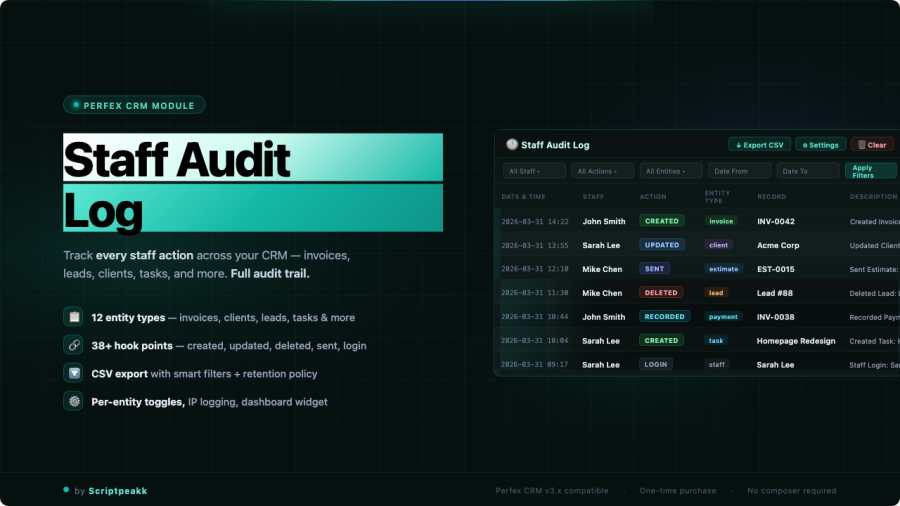
Perfex CRM is great at showing you the current state of things. Staff Audit Log adds the layer that’s missing: a full, searchable history of who did what, and when — across every major section of your CRM.
What gets logged
Every action your staff takes across the core Perfex modules is recorded automatically after the module is activated. No manual setup, no per-module configuration — logging starts immediately and covers:
- Leads — created, updated, converted, deleted
- Customers & contacts — added, edited, removed
- Projects & tasks — status changes, assignments, updates
- Contracts — created, modified, signed
- Invoices & estimates — issued, edited, deleted
- Expenses — logged and updated
- Staff accounts — logins, profile changes
Each log entry captures the timestamp, the staff member responsible, the module and record affected, the action type, and — where applicable — the before and after values of what changed.
Searching and filtering the log
The audit log view is built around real-world investigation needs. You can filter by any combination of:
- Staff member
- Module (leads, invoices, projects, etc.)
- Action type (create, update, delete)
- Date range
Results load fast regardless of log size. If you want to see everything one team member did last week, or every change made to invoices in the last month, you’re a few filter selections away.
Admin-only access
The audit log is visible only to users with admin permissions. Staff members cannot see the log, including their own entries. This keeps the tool in its proper role — a management and accountability layer — without creating a visible surveillance dynamic for your team.
Export to CSV
The full log, or any filtered subset of it, can be exported to CSV with one click. Useful for external reporting, compliance documentation, or any analysis that benefits from a spreadsheet rather than the in-module interface.
A few things to know before you install
Logging starts from the moment the module is activated — there is no retroactive logging of actions that happened before installation. If you’re investigating a past event, the module won’t help with that. What it will do is make sure you never need to investigate blindly again.
The log is append-only inside Perfex’s database. Regular database backups (which you should already be doing) serve as your long-term record.
Requirements
- Perfex CRM 3.0 or higher
- PHP 7.4 or higher
- Standard Perfex module installation — upload zip, activate from the modules list